
Turn cheers into revenue

Sell the “we love you, Sarah!” moment

FanGrams are paid messages your announcer reads from the press box. Fans buy them on your event website with a card, Apple Pay, or Google Pay, or with cash from a volunteer at the event. Either way, nothing gets passed up the bleachers on paper.
🎤 Read from the press box
Concessions menu in the Marching Maestro dashboard
The same menu in the volunteer app, ready to sell
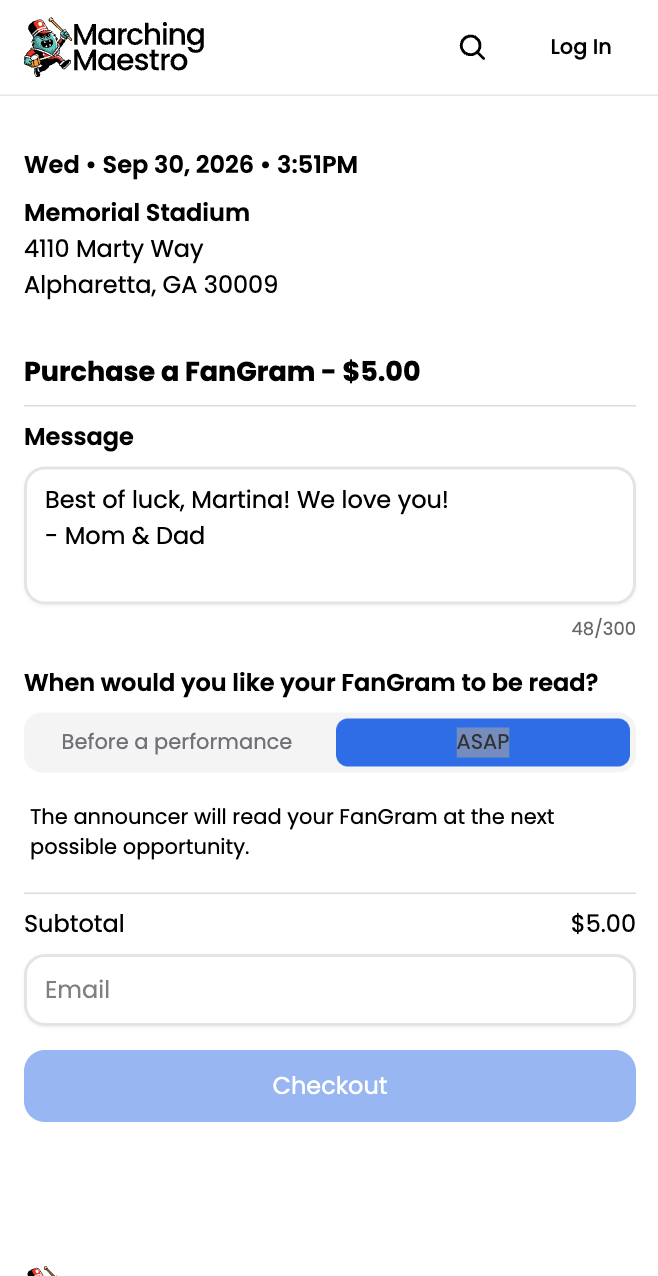
📱 Bought on your event website
📣
🎤
💖
🎺
🎉
How it works

From a fan’s phone to the PA in three steps

1

A fan writes it

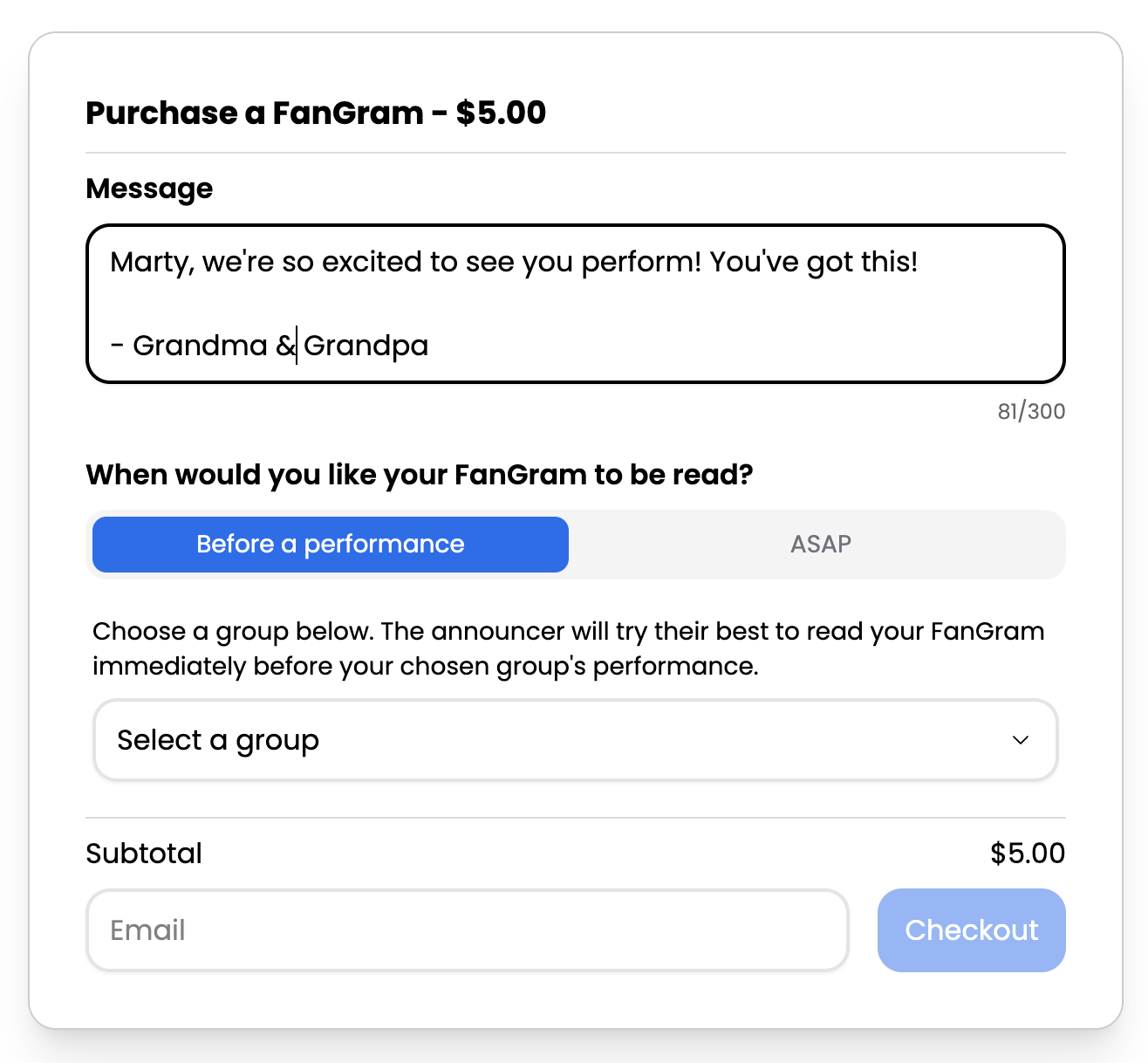
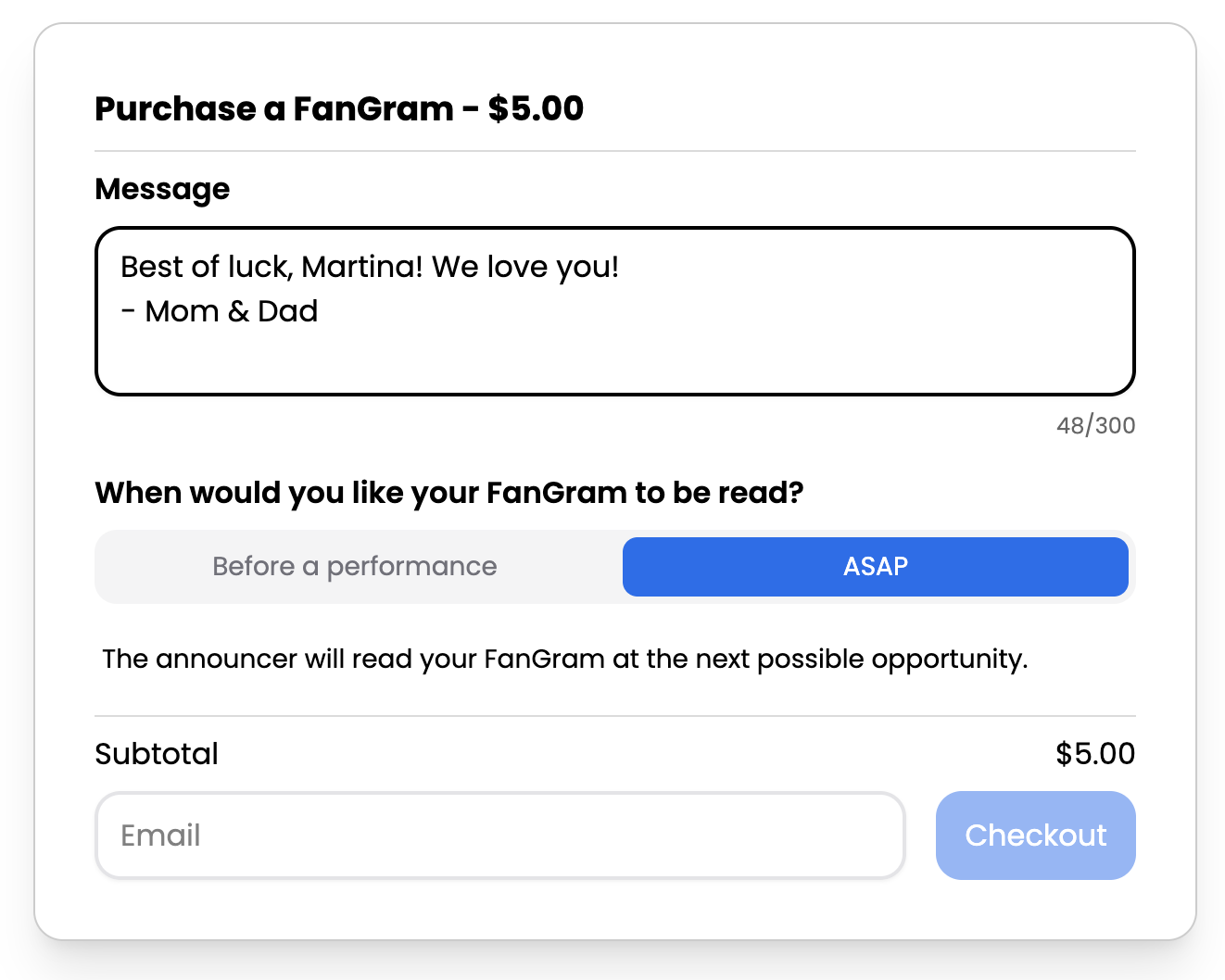
On your event website they type the message, pick the band it’s for or “as soon as possible”, and pay. Or they hand a volunteer cash and the volunteer types it into the app.

Website or at the event
2

Your announcer reads it

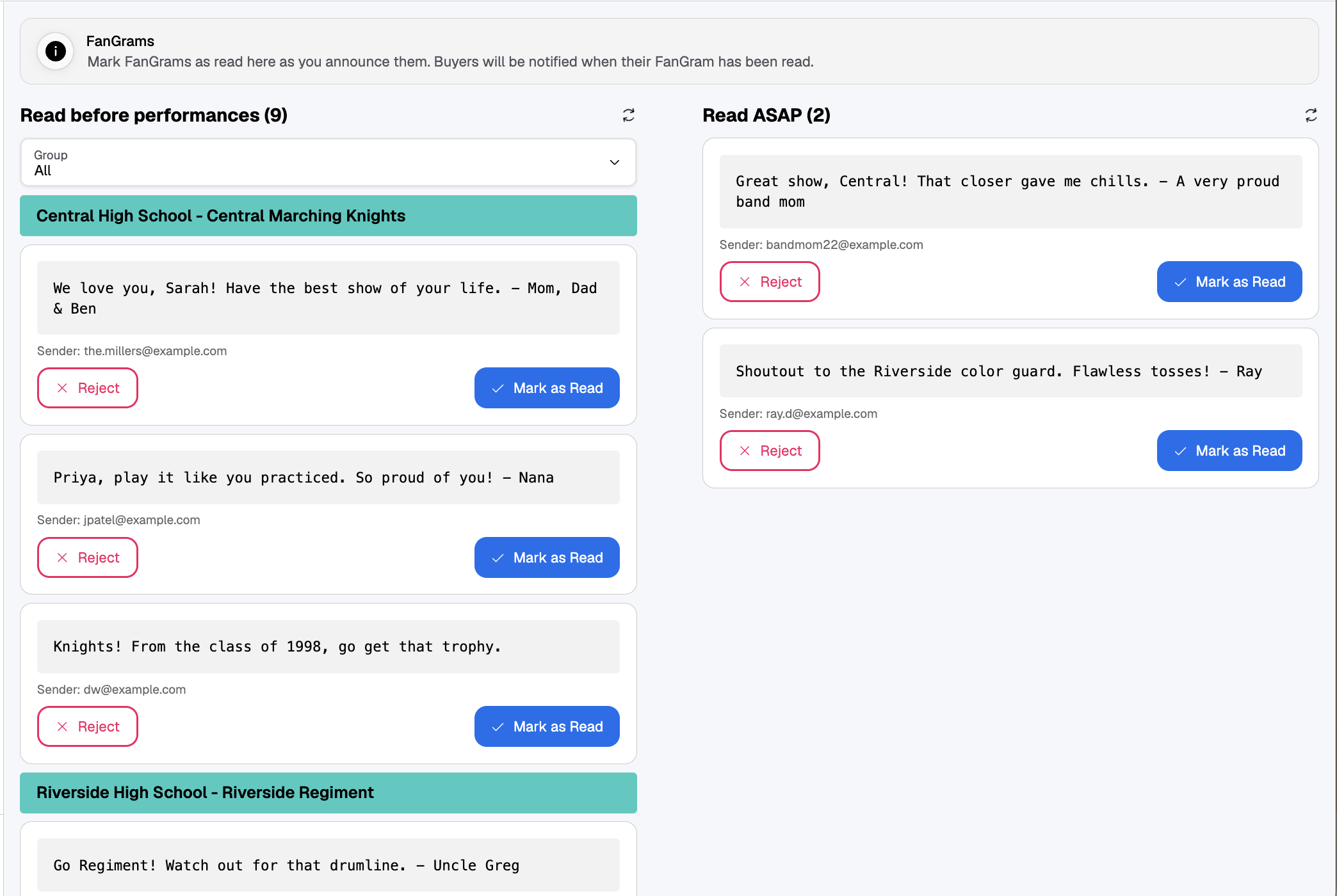
It lands in the FanGram feed, filed under the right band. The announcer reads it and taps Mark as Read.

In the press box
3

The fan hears it, and gets a note

Marking it read sends the buyer an email that their FanGram went out. The money is already in your totals.

Automatic
Why hosts switch

Retire the slips of paper to the press box

Pick the headache you know best.

🎤
Instead of
Cash and a scrap of paper handed to the press box, half of it lost or unreadable by halftime
With Marching Maestro
Every FanGram arrives typed, paid for, and filed under the band it’s for
📱
Instead of
A table with a cash box, a stack of slips, and a runner to the press box
With Marching Maestro
Card sales run themselves on your event website. Cash goes through the volunteer app. Both land in the same feed.
🚫
Instead of
Deciding on the mic whether a message is appropriate
With Marching Maestro
Reject anything you wouldn’t read aloud, with a reason sent to the buyer
The press box advantage

The announcer never has to sort the pile

Every FanGram is about a band or a student. The only question is when to read it, and the buyer answers that up front: before a specific band’s performance, or as soon as the announcer has a gap.

🕑 Read before a performance

Filed under the band, ready before they take the field

Buyers pick the band their message is for. The feed groups them by band, so when Central High is next, their FanGrams are right there.
Central High is next
Read their FanGrams
Mark as Read
Concessions menu in the volunteer app
⚡ Read ASAP

Or read at the next opening

Bought after the band already played, or the fan just wants it out now? They pick ASAP instead, and it goes in a second list the announcer clears whenever there is a gap.
Fan picks ASAP
Next gap in the show
Mark as Read
Ringing up an order in the volunteer app

Whichever the buyer picks, the FanGram lands in the announcer’s feed under that heading. Cash FanGrams typed in by a volunteer land there too. Marking a FanGram as read emails the buyer that it was announced. The feed is available to anyone you add as an announcer for the event.

Inside the product

A message worth paying for, in about a minute

One screen for your announcer, one for you.

🎤 For your announcer

One feed, sorted by when to read

FanGrams for the next band sit under that band’s name. ASAP ones have their own list. Reject anything that shouldn’t go out, mark the rest as read, and the buyer gets an email.
Create Menu Item showing the estimated amount you keep on a hot dog
Concessions in the Marching Maestro dashboard
📊 For you

See what sold and what it earned

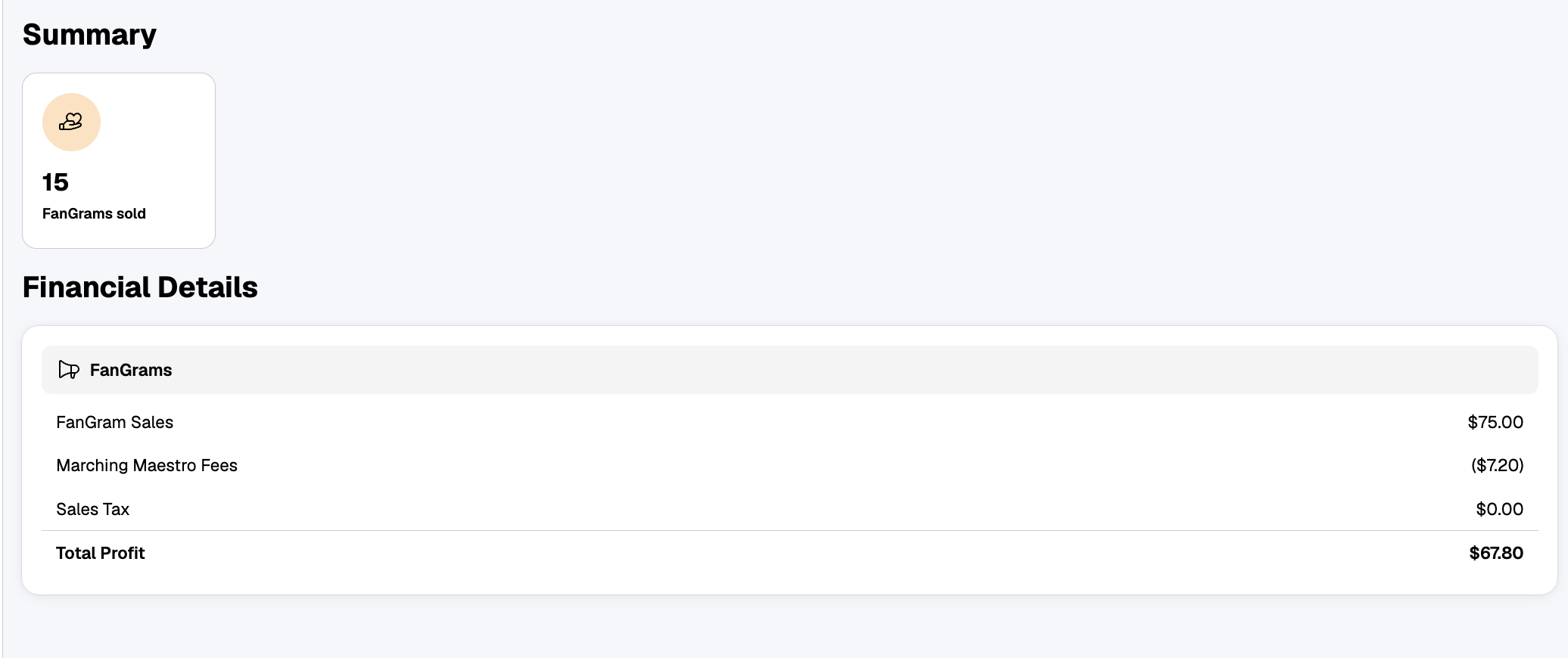
FanGrams sold, sales, fees, and your net on the overview, with cash and card on separate lines. Every order searchable, refundable, and exportable as a CSV for the treasurer.

Also included
✏️
Call them what you like
FanGrams by default. Rename them for your event: BandGrams, Shoutouts, whatever fits.
🏷
You set the price
One online price per event, set in the dashboard.
🚫
Reject with a reason
The buyer gets an email with your note. Refund from the dashboard if you choose.
✉️
Buyers stay in the loop
A receipt when they buy, an email when it’s read.
💵
Cash at the event
Turn on cash FanGrams and volunteers sell them in the app. You set the cash price and post it at the event.
🧮
Sales tax, if you collect it
Calculated on each order from your event’s zip code.
🎤
📣

Give every family their moment on the PA

Turn on FanGrams in a few clicks. Online sales start on your event website; cash sales start when you hand a volunteer the app.